
* LastTime Log *
When did I
last do that?
The last time you painted your nails. Cleaned the kitchen fan. Called your parents. Log “I just did it” in one tap, and see how long it’s been — at a glance.
For iPhone · Free
What it does
One tap to log.
The app does the counting.
Lighter than a diary, tidier than notes. A small logbook that remembers just one thing: the last time you did it.
Log in one tap
Did the thing? Tap the tile. “Now” is recorded and the timer resets to zero.
Elapsed time at a glance
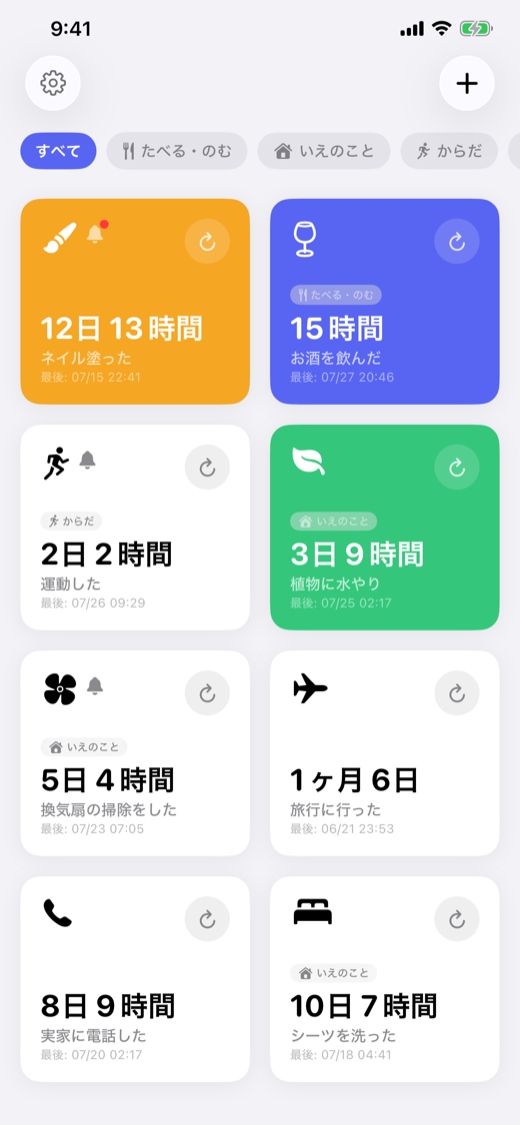
“3 days 4 hr”, “1 month 6 days”. Your home screen shows how long it’s been, for everything.
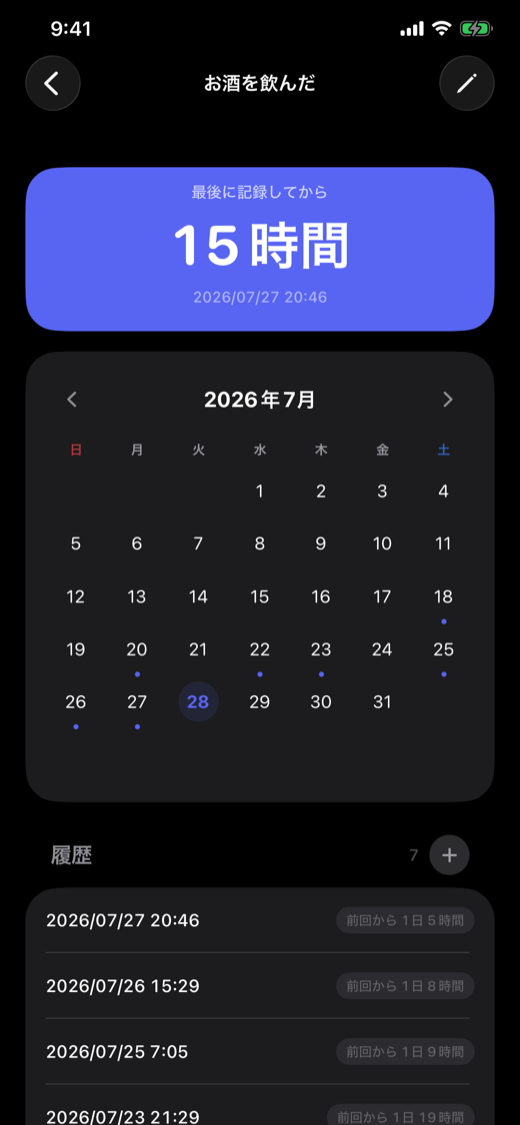
Look back on a calendar
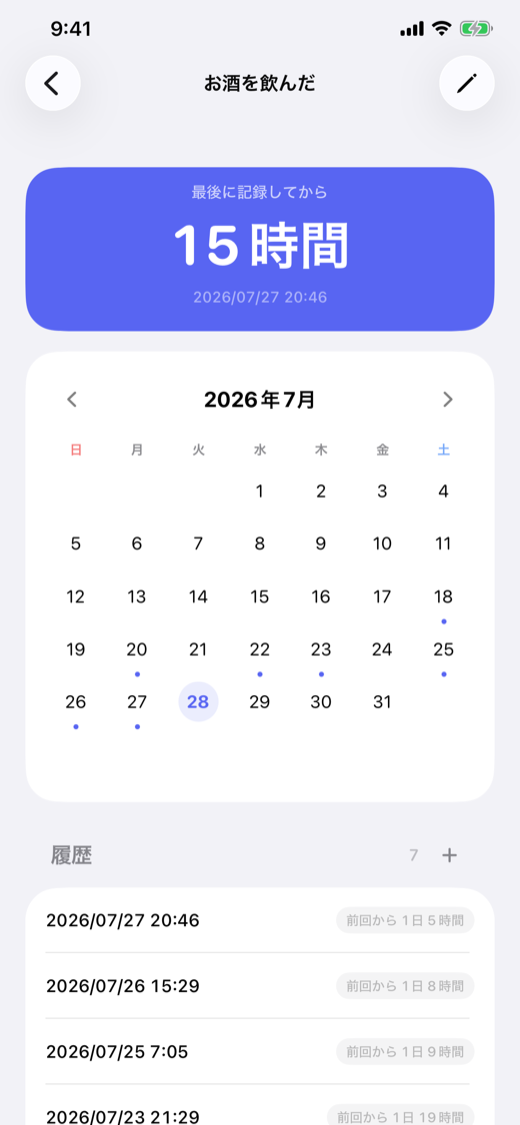
Every log becomes a dot on the calendar. Add notes, and see the interval since the previous time — automatically.
Reminders before you forget
Set “remind me after N days” per item. The kitchen fan and the call home won’t slip away again.
iCloud sync
Switch phones and your history comes along. Everything syncs via iCloud.
Tiles, your way
Customize each tile with icons, colors, or your own photos. Group them to keep things tidy.
Calendar & history
When you did it,
properly kept.
Each day you did it is marked with a dot. The history also shows how many days passed since the previous time, so your own rhythm slowly comes into view.
Screenshots
A peek inside.
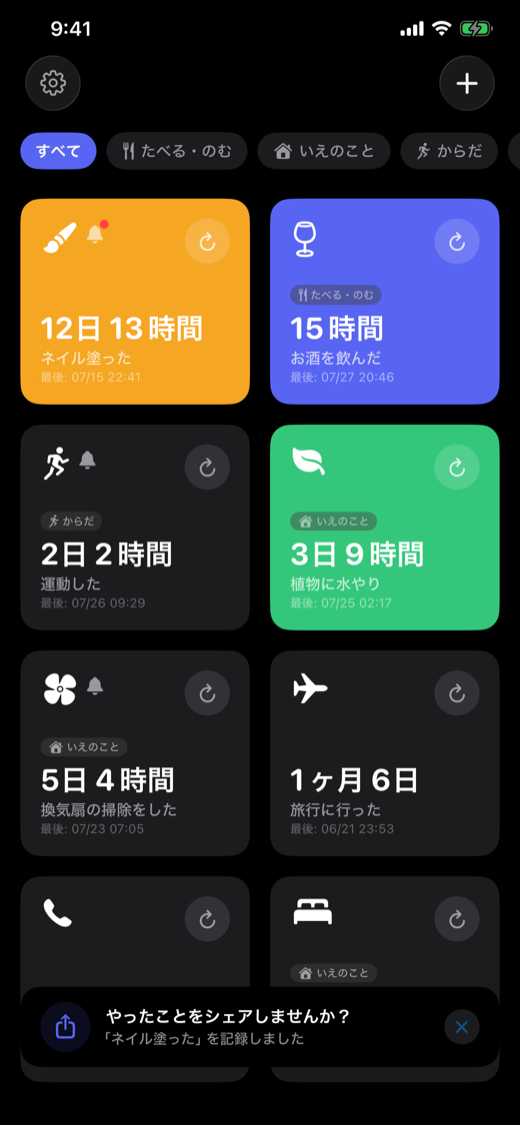
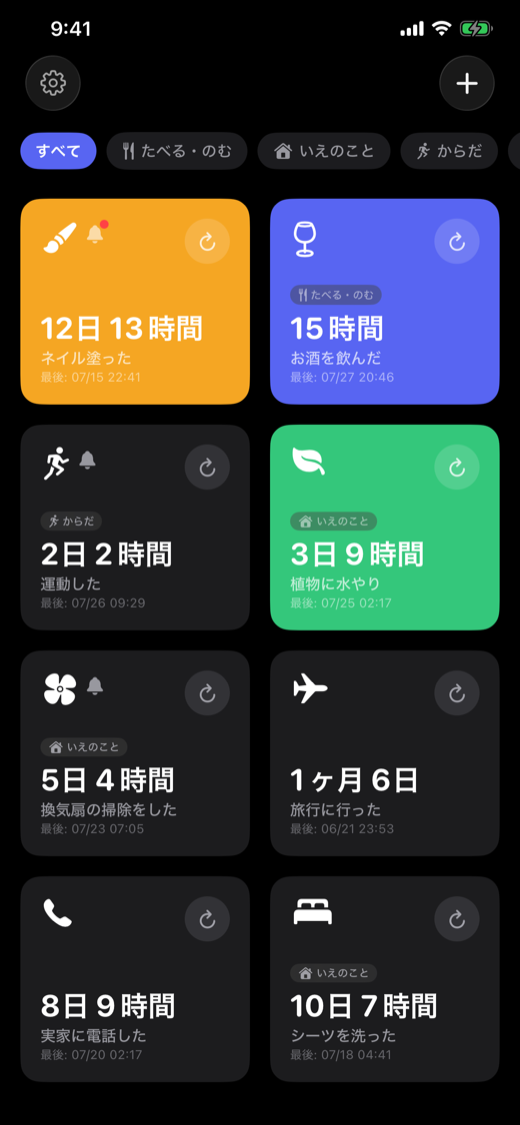
Actual screens from the app. Dark mode included. (Screens shown in Japanese — the app is fully localized in English.)
← swipe →
What you did today —
future you has already forgotten.
For iPhone · Free